


Yes, you can use them. Since February 7, 2017, the Metropolitan Museum of Art in New York has released its images of public-domain works under CC0, which means anyone may download, change and reuse them, for commercial projects too, without paying, asking or crediting. The museum's Image and Data Resources page (updated March 5, 2026) puts the total at "more than 406,000 hi-res images". The images you can take are the ones marked with the Open Access icon on the museum's website. Everything else, including the photos you take yourself inside the building, follows stricter rules.
This page walks through how to find, download and credit those files, how the free data works for people who write code, and where the open part stops. It describes the museum's published policies with their dates. It isn't legal advice, and for anything with money riding on it the museum's own pages, linked throughout, are the text that counts.
What is the Met's Open Access program?
It is a policy about images and data. For works the museum "believes to be in the public domain", it gives up any copyright it might have in its photographs and publishes them under Creative Commons Zero. The same dedication covers basic data for the whole online collection (title, artist, date, medium, dimensions), including works that are still under copyright. The images of those copyrighted works stay closed.
The launch release of February 7, 2017 spoke of "more than 375,000 images" and named its partners: Creative Commons, Wikimedia, Artstor, the Digital Public Library of America, Art Resource and Pinterest. It replaced a 2014 scheme, Open Access for Scholarly Content, which had let people download images for scholarly, non-commercial use only. Bloomberg Philanthropies paid for the program. Three years later the museum reported 225 million annual views of its artworks on Wikipedia.
Open Access at the Metropolitan Museum, year by year
The origins
2014
Scholarly downloads
Open Access for Scholarly Content lets researchers download images for non-commercial use.
Feb 7, 2017
CC0 for public-domain works
More than 375,000 images released for any use, commercial included, plus collection data on GitHub.
The growth
2018
Collection API
A free public API goes live; the museum cites 406,000 images and more than 4,000 new ones a month.
Feb 2020
Three years in
The museum reports 225 million annual views of its artworks on Wikipedia.
Today
Feb 26, 2026
3D models
Over 100 high-resolution 3D models published; a majority are Open Access.
Oct 1, 2026
API search changes
The museum announced this date for replacing the old /v1/search endpoint with the paged /v1.1/search.
What does CC0 mean in practice?
The museum's Open Access FAQ (updated August 18, 2025) describes CC0 as a "no rights reserved" option: "Anyone can use the work in any way and for any purpose, including commercial purposes". In practice, for a file with the Open Access icon:
- You can use it on a website, in a book, on a poster, in an ad or on a product you sell.
- You can crop, recolor, retouch or combine it. The FAQ says manipulation "to further ideas presented in your project is permitted"; if you use a detail, it asks you to say so in the caption.
- You don't need to ask, pay or fill in a form. The museum will not issue individual license letters for Open Access works; if a publisher insists on one, the museum points you to Art Resource, which charges.
- Credit is not required, but the museum asks for it as a courtesy. A free copy of your publication is welcome and optional.
Two limits survive CC0. Other people's rights still apply: the FAQ names trademarks, patents and publicity or privacy rights. And the FAQ adds that you may not "suggest or imply the Museum's endorsement" or use its trademarks without permission (see also the Terms and Conditions). A Monet on a mug is fine; a mug that looks like official Met merchandise is not.
Is the figure of 406,000 images current?
Read it as a minimum. The museum's two current pages about Open Access both say "more than 406,000" (updated March 2026 and August 2025). But its article announcing the Collection API in 2018 already gave 406,000, and the same article said the museum had been adding more than four thousand new images a month since launch. The collection online has kept growing since then; the number on the page has stayed put.
We found no current, official total. The museum doesn't publish one, and the public API can't filter by Open Access status, so the only way to count would be to fetch every object record. When you need a figure for your own writing, quote the museum's wording with the date you read it: "more than 406,000 images, according to the museum (September 2026)".
How do you find Open Access images on the Met's website?
Start from the museum's collection search rather than an image search engine: that way you land on the object page, which is where the rights information lives.
- Open the museum's collection search and turn on the Open Access filter. The museum's own link to the filtered results is this search with “showOnly=openAccess”.
- Search by artist, title, place or subject. Keyword tags such as "cats" come from the museum's tagging work and are available in the data too.
- On the object page, check for the Open Access icon at the lower left of the image. No icon, no CC0.
- For 3D models, use the museum's filter for works with a 3D view (showOnly=has3d); the February 26, 2026 release says "a majority" of the first hundred models are Open Access, so check each one.
If you want a place to start browsing, the Image and Data Resources page lists themed sets (Masterpiece Paintings, Cats, Met-staches, Quilts, Tiffany Glass and more). (The page promises 20 sets and names 19.)
How do you download and credit a Met Open Access image?
Click the download icon at the lower right of the image on the object page and save the file. Check it straight away: the FAQ warns that images on the site "represent the evolution of digital imaging standards", so older photographs can be small. For print, divide the pixel width by 300 to get the size in inches at print quality: a file 3,000 pixels wide prints about 10 inches wide at 300 ppi. For screens only the pixel dimensions matter.
For credit, the museum suggests "The Metropolitan Museum of Art, New York," followed by the credit line from the object page, optionally with the website address. Our own example, built from the museum's record for object 11417:
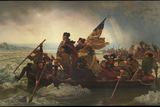
Emanuel Leutze, Washington Crossing the Delaware, 1851. The Metropolitan Museum of Art, New York, Gift of John Stewart Kennedy, 1897 (97.34). www.metmuseum.org
Every piece of that line is on the object page: artist, title, date, credit line and the accession number in brackets. If you cropped the picture, add "detail".
How do the Collection API and the GitHub CSV work?
For anything beyond a few images, the museum offers two free channels, both covered by CC0. The Collection API needs no key and no registration; the documentation asks you to stay under 80 requests per second. Each object record says whether the work is public domain (isPublicDomain) and gives a link to the full-size image (primaryImage) and a smaller web version (primaryImageSmall). Use the first for print.
Code written against the old search endpoint needs updating. In a documentation update dated September 4, 2026, the museum announced that /public/collection/v1/search is replaced by /v1.1/search from October 1, 2026. The new endpoint takes the same filters but returns results in pages, 100 at a time by default, and only the first 10,000 results of any query can be reached. To list everything, the documentation sends you to the /objects endpoint or the dataset. In our tests on September 29, 2026 the API also answered some quick bursts of requests with an HTTP 403 page from its bot protection, so pace your scripts well below the limit and retry later.
The GitHub repository holds MetObjects.csv, a single file of about 318 MB stored with Git LFS; its README speaks of data on "more than 470,000 artworks". Images are not in the file. The museum's page says the CSV "is updated on a weekly basis", but the repository history tells another story: the last commit that changed the data is dated June 17, 2023 (checked September 29, 2026). For anything current, such as whether a work is on view or newly public domain, ask the API.
What is not open?
The FAQ lists why a work may lack the icon: it is still under copyright or its status is unclear; privacy or publicity issues exist; the museum doesn't fully own it; an artist, donor or lender restricted it; or there is no good digital image yet. For all of these, and for higher-resolution files, the route is the museum's licensing partner, Art Resource, through the request form on the Image and Data Resources page. Art Resource charges "depending on the nature and type of the proposed use"; new photography takes "a minimum of six weeks", and the museum may refuse.
The Terms and Conditions (last revised October 25, 2018) add three things. Material without the icon is for "limited noncommercial, educational, and personal use" or fair use. Works credited "© ARS" are licensed by the Artists Rights Society. And for images of other institutions' works shown on the site, you ask the institution named in the caption.
Then there are your own pictures.
Photographs and video captured at The Met cannot be published, sold, reproduced, transferred, distributed, or commercially exploited.
The Photo and Video Policy allows non-flash photos "for private, non-commercial use", except where a work or gallery is marked no-photography, and it bans photo shoots, flash, selfie sticks, tripods and drones without approval. Commercial photography of objects or galleries needs a written request to the museum's Rights and Permissions office. In practice: if you want a Met painting on your blog or product, download the Open Access file: your phone photo of the same painting can't legally be published, and it will look worse anyway. The visiting side of these rules is on our rules page.
I want to use a Met image: can I?
The table sums up the museum's published rules as of September 2026 for the uses we are asked about most. "OA" means the image carries the Open Access icon.
| I want to... | Can I? | How |
|---|---|---|
| Print an OA painting on T-shirts I sell | Yes | Download it from the object page; don't use the Met's name or logo to suggest it is official |
| Use an OA image on my website or book cover | Yes | The FAQ says so explicitly; credit is optional but requested |
| Crop, recolor or collage an OA image | Yes | Allowed; label a crop as a detail |
| Show OA images in a class or lecture | Yes | Free; institutions needing a site license can ask Art Resource |
| Get a signed license for my publisher | Not from the museum | No letters for OA works; Art Resource can license the file for a fee |
| Use an image of a work still in copyright | Not through Open Access | Request it from Art Resource; for works credited © ARS, the Artists Rights Society |
| A larger file than the one online | Sometimes | Image request form to Art Resource; new photography takes at least six weeks |
| Post or sell my own photos taken in the galleries | No | The photo policy bars publishing them; use the OA file instead |
| Use the Met logo or name on a product | No | Trademarks need written permission |
| Download data on the whole collection | Yes | CSV on GitHub (data last updated June 2023) or the API for current records |
| Build an app on the collection | Yes | Collection API, no key, under 80 requests per second, search on /v1.1 (museum's switch date: Oct 1, 2026) |
| Download a 3D model | Often | Most are OA, according to the museum; check the icon on each model |
What mistakes do people make with Met images?
- Assuming every image on the museum's site is free. Only the ones with the icon are. Photographs of modern works, loans and some objects are not.
- Using someone else's photo of a Met object. A picture of a vase taken by a traveler or sold by a stock agency comes with that photographer's terms, whatever the museum's policy says about its own files. Go back to the museum's file.
- Downloading the small web version. In the API, primaryImageSmall is the web-size file; primaryImage is the full one.
- Quoting 406,000 as today's total. It is the museum's standing wording, unchanged since 2018.
- Trusting the GitHub CSV to be this week's data. Its last data update is from June 2023.
- Keeping code on /v1/search. The museum announced its replacement by /v1.1/search from October 1, 2026.
- Designing packaging that looks like official Met merchandise. CC0 frees the image of the artwork; the museum's name and logo stay protected.
Quick answers about Met Open Access
Can I use Metropolitan Museum images commercially?
Yes, if the image has the Open Access icon. The museum's FAQ says OA images may be used "for any purpose, including commercial and noncommercial use, free of charge and without requiring permission".
Do I have to credit the Met?
No. CC0 requires no attribution, but the museum asks for a credit such as "The Metropolitan Museum of Art, New York" plus the object's credit line.
How many Open Access images does the Met have?
The museum says "more than 406,000" (pages updated in 2025 and 2026). The same figure was published in 2018, so the real number is probably higher; there is no current official count.
Can I use photos I took inside the Met on my website?
The Photo and Video Policy (March 18, 2026) says photos and video captured at the museum "cannot be published, sold, reproduced" or commercially exploited. For artworks, use the Open Access file.
Do I need an API key for the Met Collection API?
No. The API is free and open without registration; the documentation asks users to stay under 80 requests per second.
Are images of copyrighted works in the Met available?
Not through Open Access. They are licensed through Art Resource, for a fee that depends on the use; works credited © ARS go through the Artists Rights Society.
More about the Metropolitan Museum
Data verified on. Rules quoted from the Met's policies with their update dates; API and GitHub checked directly. Not legal advice. Editorial Policy